GNB
In CALS, the Global Navigation Bar (GNB) area includes sections for configuring the URL and login image for the standard login. The settings for the GNB are configured on a per-tenant basis. This means that to ensure the independence of each tenant, separate functionalities for registering URLs and images are provided for each tenant.
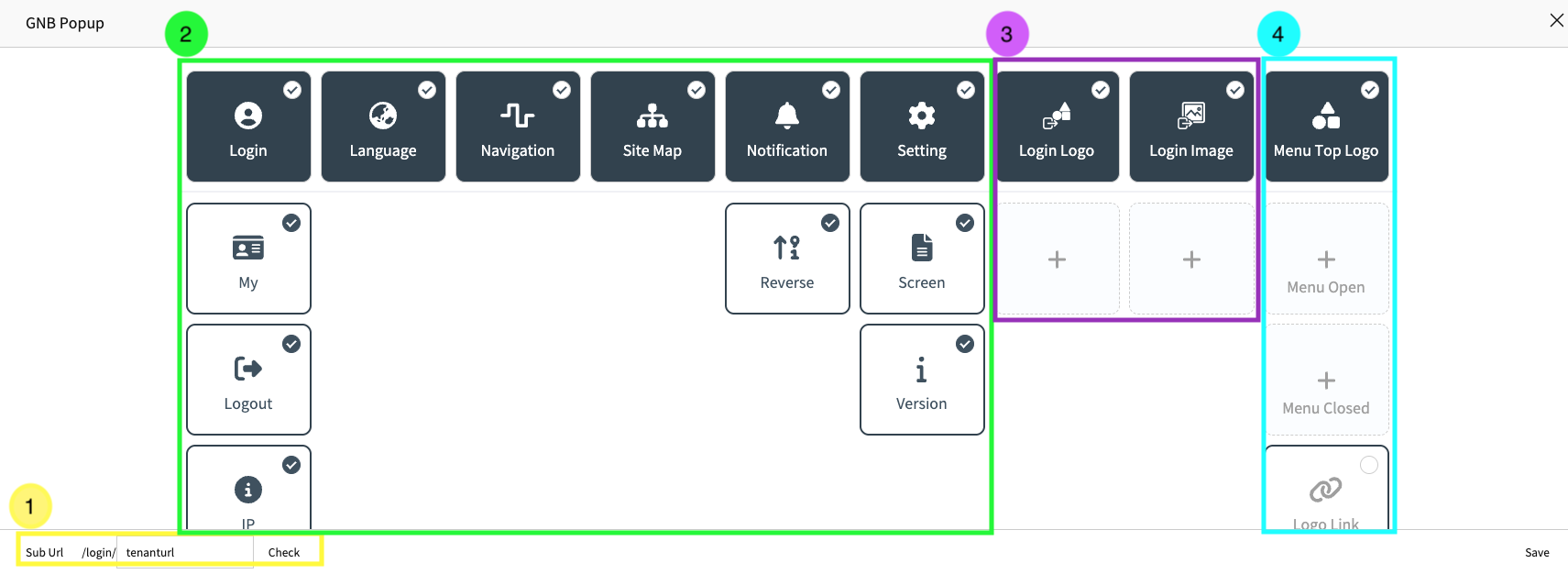
- Per-Tenant URL
- Enable or Disable GNB Items
- Login Page Image Setting
- Menu Top Image(Open/Closed) Setting