Caution
1. Matrix of Available Features by Node.js Version and Extension VersionNode.js
| Node.js Version & Extension | Create new Lambda | Modify existing Lambda | Create new LTS | Modify existing LTS | Create new ServerScript | Modify ServerScript |
|---|---|---|---|---|---|---|
| Node.js 16 & Extension (~ v1.0.10) | O | O | O | O | O | O |
| Node.js 16 & Extension (v1.1.0 ~) | X | X | X | X | X | X |
| Node.js 18 & Extension (~ v1.0.10) | O | O | O | O | O | O |
| Node.js 18 & Extension (v1.1.0 ~) | O | O | △ | O | △ | O |
※ When modifying an existing Lambda or Long-Term Service (LTS) marked as △, deployment will not be possible if Migration is not performed using Node.js 18 and the new framework.
2. Display rule for Migration button
| Create new Lambda | Modify existing Lambda | Create new LTS | Modify existing LTS | All Server Script | All Business Service | |
|---|---|---|---|---|---|---|
| Extension (~ v1.0.10) | X | X | X | X | X | X |
| Extension (v1.1.0 ~) | X | O | X | O | X | X |
- If user modifies existing Application Lambda & Long-Term Service, Migration button is displayed only once initially.
- When clicking on Migration button, but do not deploy and delete selected Local Project. Then download it again, the button will be displayed.
- After clicking on Migration button and deploy the project, the button is not displayed for another user.
3. [Migration Check] The filename or context is incorrect. Error
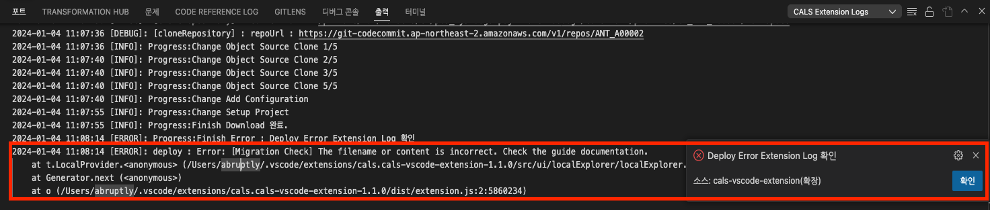
This error occurs when either the /app.js file, which part of the project to be deployed, is missing, or if the main method in the /src/controller.js file is not processed correctly.
Please verify that the changes align with the intended source code outlined in “3.5 Modify existing Application Lambda ”or “3.6 Modify existing Long-Term Service "